





How to Set Up and Use BUZUD CGM Glucose Alerts?
BUZUD CGM provides two types of alert functions: Routine Alerts and Critical Alerts. These settings help users monitor glucose levels and respond promptly when needed.
Routine Alerts
Access Path:
- Open the BUZUD App
- Tap the CGM card on the home screen
- Tap the Settings icon in the top-right corner
- Select Routine Alerts
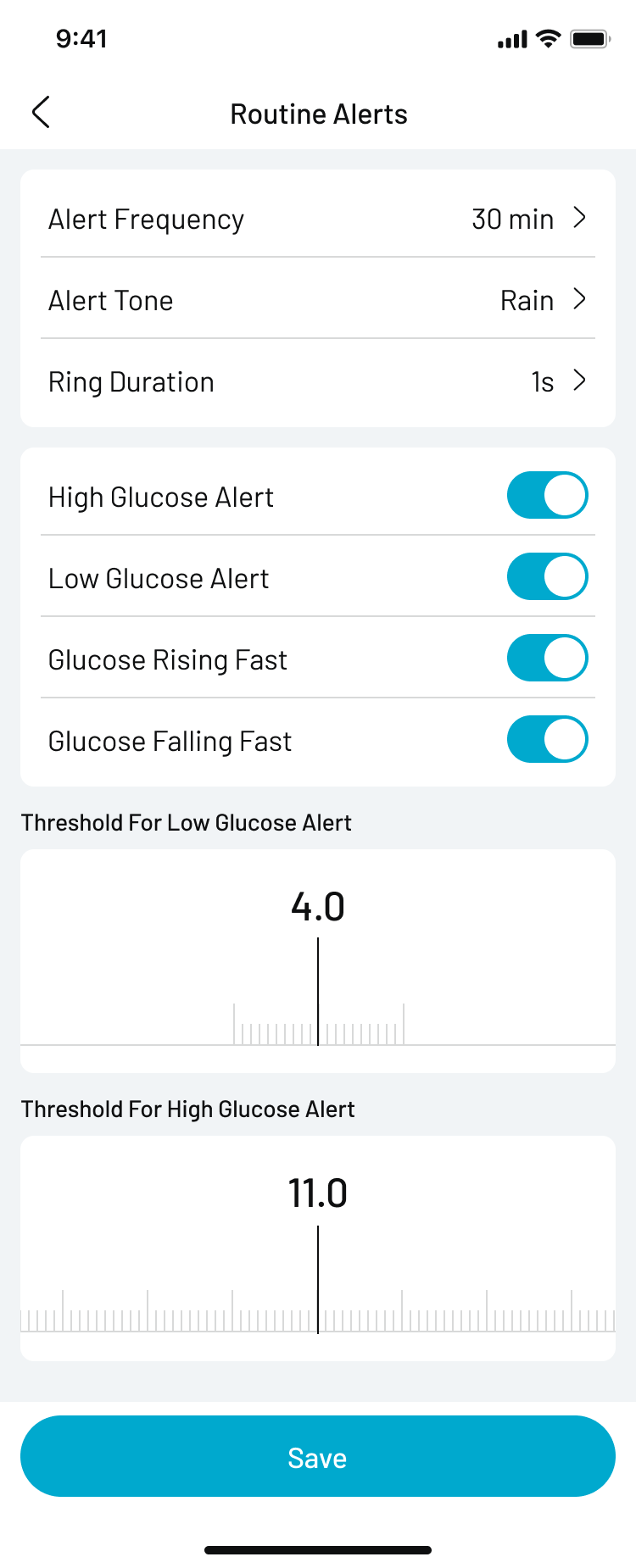
You can customize the following options:
- Alert Frequency: For example, repeat every 30 minutes
- Alert Tone: Choose from a variety of sound styles
- Ring Duration: Set how long the alert tone lasts
Available Alert Types:
- High Glucose Alert: Customizable threshold (e.g., 11.0 mmol/L)
- Low Glucose Alert: Customizable threshold (e.g., 4.0 mmol/L)
- Glucose Rising Fast Alert
- Glucose Falling Fast Alert
After adjusting the settings, tap Save at the bottom to apply the changes.
Critical Alerts
Access Path:
- Open the BUZUD App
- Tap the CGM card on the home screen
- Tap the Settings icon in the top-right corner
- Select Critical Alerts
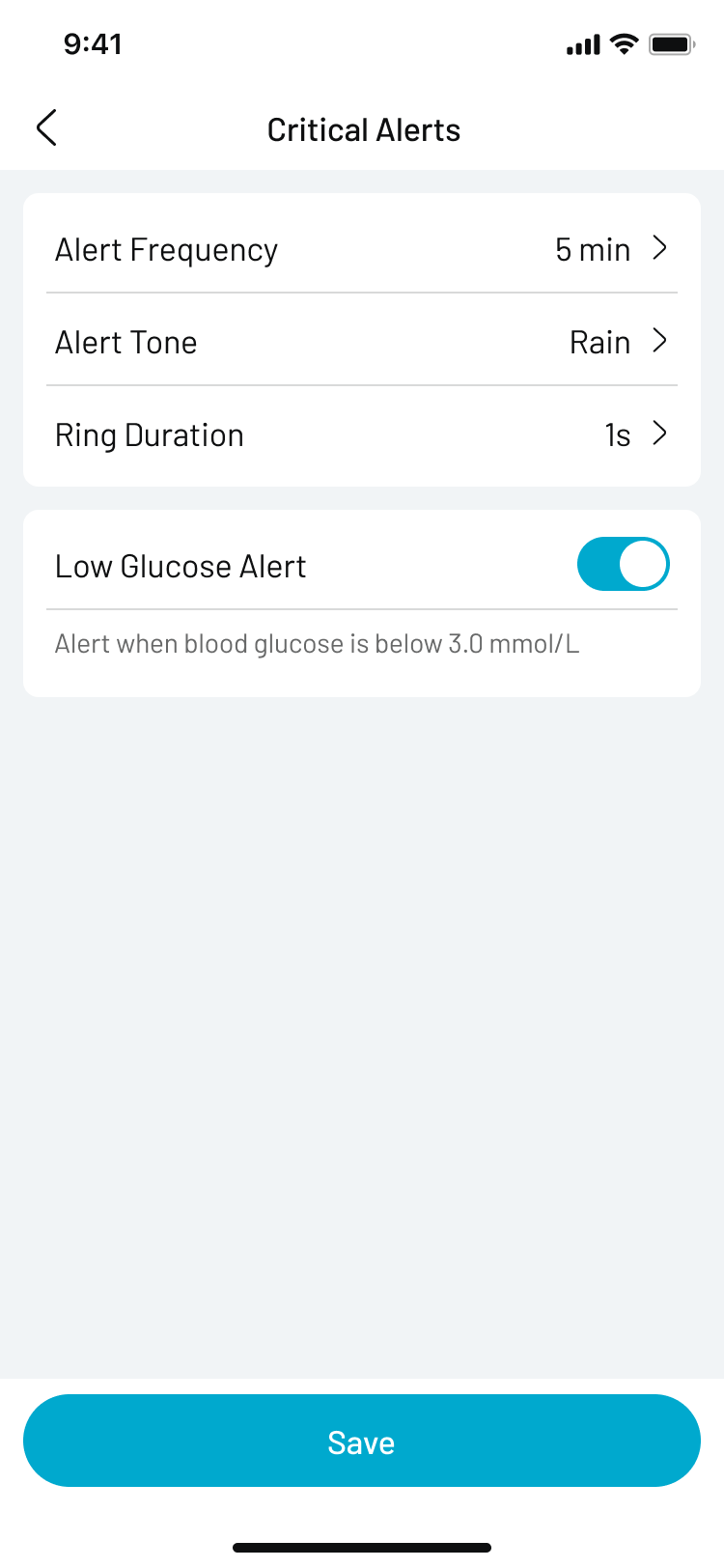
Currently supported critical alerts:
- Low Glucose Alert:
- Automatically triggered when glucose drops below 3.0 mmol/L
- This threshold is preset and cannot be modified
Additional configurable settings:
- Alert Frequency: e.g., repeat every 5 minutes
- Alert Tone
- Ring Duration
Notes
- BUZUD CGM alerts do not override your phone’s silent or Do Not Disturb modes. Please make sure notifications and system volume are enabled to ensure you hear alerts.
- If the app is closed or removed from the background, alert functionality may be disrupted. It's recommended to keep the app running in the background.